
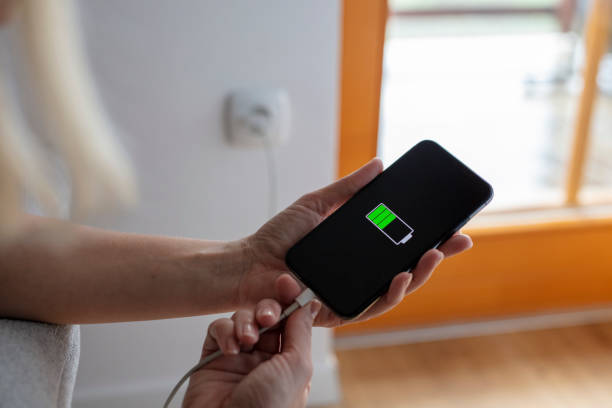

Smartphones have become an essential part of everyday life, but one problem almost everyone faces is fast battery drain. Whether you’re working, studying, or simply staying connected, a weak battery can interrupt your routine and create constant frustration.
The good news is that improving battery life doesn’t require technical skills or expensive tools. It’s mostly about small daily habits, smarter settings, and better charging practices. When you understand how your phone consumes power, you can easily make it last longer throughout the day.
Why Mobile Batteries Drain So Quickly
To understand how to increase mobile battery life, you first need to know what causes it to drain.
One of the biggest reasons is the screen. A bright display and long screen-on time consume a significant amount of energy. Even leaving your phone unlocked for a few extra minutes can quietly reduce your battery percentage.
Another major factor is background apps. Many apps continue to refresh, sync data, and track location even when you are not using them. These hidden processes can drain your battery without you realizing it.
Network conditions also play a big role. When your phone is in a low-signal area, it uses more power trying to stay connected to the network, which speeds up battery loss.
Heavy usage like gaming, video streaming, or GPS navigation also consumes a lot of power. Activities that require more processing or continuous connectivity naturally drain the battery faster.
Simple Daily Habits That Save Battery
Improving battery life often starts with basic habits.
Reducing screen brightness is one of the easiest and most effective steps. Even a small decrease can significantly reduce power usage because the display is one of the largest battery consumers.
Using dark mode, especially on OLED screens, can also help save energy. Dark pixels require less power compared to bright ones, making this a simple yet effective adjustment.
Managing apps is equally important. Removing apps you don’t use and limiting background activity helps reduce unnecessary power consumption. Keeping only essential apps active ensures your phone runs more efficiently.
Notifications also contribute to battery usage. Frequent alerts wake up your screen and activate processes in the background. Reducing unnecessary notifications can make a noticeable difference over time.
Smart Use of Phone Features
Many phone features are useful, but leaving them on all the time can waste energy.
Bluetooth, GPS, Wi-Fi, and mobile data constantly search for connections. Turning them off when not needed helps conserve battery.
Battery saver mode is another powerful tool. It limits background activity, reduces performance slightly, and adjusts system settings to extend battery life. Using this feature during long days or when your battery is low can be very helpful.
Auto-sync and automatic updates also run in the background. While they are useful, limiting them to important apps can reduce unnecessary power usage.
Charging Habits That Improve Battery Life
Charging behavior has a direct impact on battery performance and long-term health.
Modern smartphones use lithium-ion batteries, which perform best when kept within a moderate charge range. Experts suggest keeping your battery between 20% and 80% to reduce stress and extend its lifespan.
Frequent full discharges or keeping the battery at 100% for long periods can increase wear over time. Instead of waiting for your battery to drop to zero, it’s better to charge it in shorter sessions throughout the day.
Using a good-quality charger is also important. Poor-quality accessories can affect charging efficiency and even damage your battery in the long run.
Avoiding Common Battery Mistakes
Many users unknowingly follow habits that reduce battery life.
One common mistake is overusing high-performance features like gaming or high refresh rate displays for long periods. These features increase power consumption significantly.
Ignoring software updates is another issue. Updated software often includes battery optimizations and bug fixes that improve performance and efficiency.
Heat is one of the biggest enemies of battery health. Exposure to high temperatures can cause permanent damage and reduce battery capacity. Keeping your phone cool is essential for long-term performance.
Advanced Tips for Better Battery Performance
If you want to go a step further, there are additional ways to improve battery efficiency.
Reducing animations and visual effects can slightly improve performance and reduce energy consumption. While the difference may seem small, it adds up over time.
Using lite versions of apps can also help. These apps are designed to use fewer resources, making them ideal for saving battery.
Monitoring battery usage in your phone settings allows you to identify which apps consume the most power. Once you know the main sources of battery drain, you can take targeted actions to control them.
How to Maintain Long-Term Battery Health
There is a difference between making your battery last all day and making it last for years.
Lithium-ion batteries naturally degrade over time, but proper care can slow down this process. Avoiding extreme charge levels, reducing heat exposure, and maintaining consistent usage habits all contribute to longer battery life.
Keeping your battery within a moderate charge range and avoiding overheating are among the most effective ways to maintain long-term health.
It’s also important to understand that some battery degradation is normal. However, with good habits, you can delay it and keep your phone performing well for a longer time.
Quick Everyday Checklist
A few simple habits can make a noticeable difference:
- Keep your screen brightness at a comfortable level instead of maximum.
- Turn off unused features like Bluetooth or GPS when not needed.
- Limit background apps and unnecessary notifications.
- Use battery saver mode when your battery is low.
- Avoid exposing your phone to heat or extreme conditions.
- Charge your phone before it drops too low and unplug it when it’s sufficiently charged.
These small changes, when applied consistently, can significantly improve battery life.
Conclusion
Improving battery life is not about one single trick. It’s about consistent, smart usage.
By adjusting your screen settings, managing apps, controlling connectivity, and following healthy charging habits, you can make your phone last longer throughout the day and over the years.
The most important thing to remember is that small daily actions create long-term results. Once these habits become part of your routine, you won’t have to worry about your battery running out when you need it most.
FAQs
Does charging overnight damage mobile battery life?
Modern smartphones are designed to stop charging at 100%, so overnight charging is generally safe. However, keeping the battery at full charge for long periods may slightly affect long-term health.
Is dark mode really useful for saving battery?
Yes, especially on OLED screens. Dark mode reduces power usage because darker pixels consume less energy compared to bright ones.
Should I close all background apps to save battery?
Not always. Closing apps constantly can sometimes use more energy. It’s better to limit or manage apps that heavily use background activity.
Why does battery drain faster in low signal areas?
Your phone uses more power trying to maintain a stable connection, which increases battery consumption significantly.
How long should a phone battery last in a day?
For most modern smartphones, a full charge should last an entire day with moderate use. Heavy usage may require additional charging.

1 Comment
Pingback: IPhone 18: Is It Worth Upgrading In 2026?